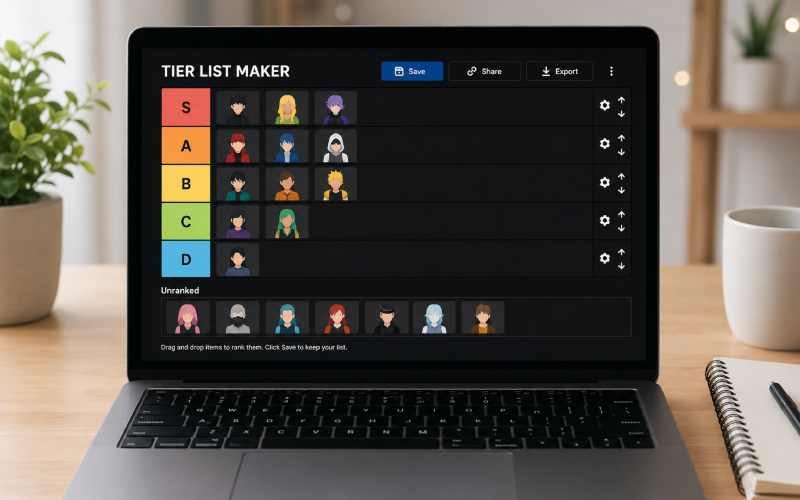
Search “tier list maker” and you get a page of tools that all look nearly identical: drag-and-drop grid, S through D rows, export as PNG. The real differences show up once you actually try to use one, in the details that don’t show up on a landing page. Here is what actually separates the main options.
What Should You Check Before Picking a Tool?
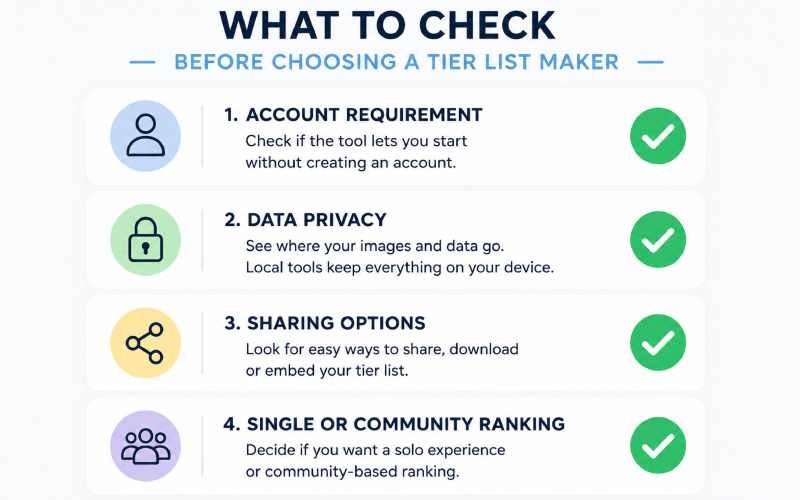
Four things decide whether a tier list maker is worth your time, regardless of how polished its homepage looks.
- Whether it requires an account. Some tools let you start ranking immediately. Others gate the actual editor behind a signup screen before you’ve built anything.
- Where your images and data go. Some tools process everything locally in your browser and never touch a server. Others upload your images for processing, which matters if you care about privacy or are ranking anything sensitive.
- How you actually share the result. A downloadable PNG is the baseline. A shareable link or embeddable widget goes further, especially if you want people to interact with your ranking rather than just view it.
- Whether ranking is single-player or community-based. Most tools assume one person builds a list alone. A smaller group of tools let other people rank the same items and compare results.
How Do the Main Options Compare?
| Tool | Account Required | Data Handling | Best For |
|---|---|---|---|
| TierMaker | No for basic use | Server-based | The most established option with the largest existing template library |
| Common Ninja | No | Fully local, browser-only | Privacy-focused ranking with no server upload |
| Tier Flock | No | Server-based | Community rankings, tournament-style and quick-sort ranking modes |
| Canva | No for basic use | Server-based | Polished, branded visuals when the ranking itself matters less than the design |
| TierListMaker.online | No | Local browser storage, auto-saves | Long ranking sessions you want to return to without losing progress |
Which Tool Fits Which Use Case?
If you want the largest existing library of pre-made templates and don’t mind a server-based tool, TierMaker remains the most widely used option, largely because so many other creators already default to it, which makes sharing and recognition easier.
If privacy matters more than template variety, Common Ninja processes everything locally in your browser. Nothing you upload gets sent to a server, which is a meaningful difference if you’re ranking anything you would rather not have stored anywhere outside your own device.
If you want more than a static grid, Tier Flock offers tournament-bracket and quick-sort ranking modes alongside the standard drag-and-drop format, plus community consensus data so you can see how your ranking compares to everyone else’s.
If the visual design matters as much as the ranking itself, Canva is not a dedicated tier-list tool, but its template library and design controls produce a more polished result for something like a YouTube thumbnail or social post.
What Are Tier List Makers Actually Used For?
Gaming rankings remain the most common use case, whether that’s ranking characters after a balance patch or comparing weapon loadouts. Our own breakdown of current Genshin Impact character rankings is a good example of the kind of content people build these tools around. Beyond gaming, tier lists show up for ranking anything from fast food chains to movies to classroom activities, since the format itself is really just a fast, visual way to organize an opinion.
Quick Answers
Do I need to pay for a tier list maker? No. Every tool listed here offers a genuinely usable free tier, though some, like TierMaker, offer optional paid plans for extra features.
Can I use my own images instead of a template? Yes, on every tool covered here. Most support PNG, JPG, and WebP uploads at minimum.
Which option is best for a classroom or teaching activity? A local, no-account tool like Common Ninja or TierListMaker.online avoids the sign-up friction that slows down a classroom activity, similar to the accessibility of a tool like Blooket for interactive lessons.
Written by: CupOfJo Editorial Team
Last updated: August 21, 2026
Basis for this article: Researched using each tool’s own published features and publicly available comparisons.
What this article does not cover: Features and pricing change frequently for web-based tools. Confirm current details directly on each tool’s site before relying on this comparison.
Corrections: If anything here is inaccurate or out of date, contact us and it will be corrected.
This piece is part of Cupofjo.org’s general Blog coverage, outside our core Fashion & Style, Food & Recipes, and Lifestyle & Home pillars.